

Coordinating volunteer teams and organizing community events requires consistent communication. For many nonprofit organizations, establishing a functional digital framework can support operations alongside recruiting volunteers. While enterprise-level project management platforms offer extensive features, they may introduce learning curves and licensing costs that stretch community budgets. Consequently, some organizations explore accessible platforms like Messenger to help keep their teams connected. The tool may be familiar to teams already using Messenger for personal communication, potentially reducing training time. However, setting up a group chat requires careful consideration of guidelines, administrative features, and privacy to help maintain a focused workspace.
When deploying digital tools for a nonprofit organization, leaders can balance accessibility with structured boundaries. A managed group chat can serve as an operations channel for an event team, distributing alerts, schedule changes, and updates. Establishing these communication channels often requires foresight. Organization managers can implement clear guidelines, explore available administrative features, and foster a professional environment. This approach shares similarities with other foundational administrative tasks, such as exploring a Google Workspace nonprofits budgeting setup, where careful initial configuration can support long-term operations.
The Role of Real-Time Messaging
During a community event, conditions can change. A delivery truck might arrive at the wrong entrance, unexpected weather may force a schedule adjustment, or a volunteer station may require support. Real-time group messaging can provide a unified broadcast channel that reaches the team quickly.
Messenger is one option that may already be installed on volunteers’ devices. By utilizing accessible platforms, organizations can sometimes lower the barrier to entry for communication. If you are preparing to implement this solution for your community project, reviewing a step-by-step Messenger group chat guide can provide helpful context for initiating the thread. Keep in mind that feature availability can vary by account, device, region, and app version, so coordinators should confirm controls directly in their own interface.
For more general guidance, Meta identifies group chats as conversations with more than one person and groups its help topics around creating/customizing chats, mentions, notifications, and admin controls. Understanding these core groupings can help a coordinator navigate the available options without relying on assumptions about specific limitations or universal feature availability.
Establishing Group Chat Governance
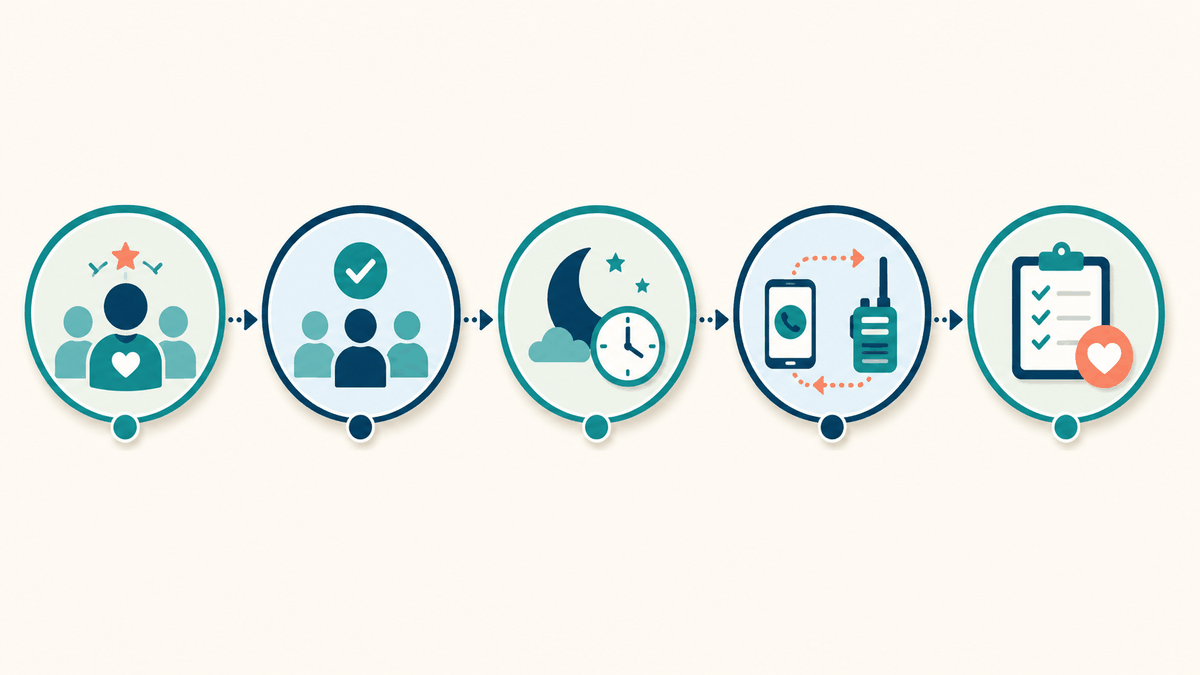
A common consideration in volunteer group chats is administration. Without moderation, an operations channel may become cluttered with off-topic conversations or redundant questions. To mitigate this, organizations can establish governance rules before the first message is sent.
The organization might designate one or two official administrators for the chat. These administrators can help manage the membership roster, encourage adherence to communication guidelines, and highlight important updates. While some group chats offer settings to require admin approval for new members, administrators should check their current app version to verify if this control is available and functioning as expected.
Administrators should also be aware that privacy settings and chat history visibility can change based on the platform’s updates. Managing access is a vital component of organizational security and aligns with broader risk management strategies, similar to the succession readiness lessons local organizations can use before leadership changes, where structured access to information is prioritized.
Communication Practices for Volunteer Teams
Once a group chat is established, the organization can set expectations for its use. A practical checklist for communication practices might be distributed to volunteers during orientation.
Keep first-contact Page messages separate from the internal volunteer group chat. A Page greeting can acknowledge someone starting a new conversation, while the group chat can stay focused on enrolled volunteers’ event coordination. Meta’s Help Center explains how to set up an Instant reply for a Page’s Messenger channel. For the Page setup steps and troubleshooting, see this Facebook Page reply setup guide. Have a person review urgent or sensitive questions, and check dates and contact details before each event. Disclosure: NPO Expert and Messenger Bot are under common ownership.
1. Define the Chat’s Purpose
Explicitly state the primary use of the group chat. Defining the scope can help administrators gently redirect off-topic conversations. For example, a coordinator might state, “This chat is intended for schedule changes and dispatch requests. General questions can be directed to the coordinator via email.”
2. Utilize Mention Features
In an active chat, important messages can sometimes be missed. Group members might use mention features (@name) if available in their region and app version, to help notify specific individuals. Coordinators can use mentions when requesting status updates from team leaders.
3. Establish “Quiet Hours”
Volunteers are donating their personal time, and boundaries are important. Organizations can suggest “quiet hours” during which non-emergency messages should be avoided. Managing notification volume can help reduce volunteer fatigue.
4. Highlight Critical Information
Important logistical details, such as parking instructions or emergency contact numbers, should be easy to find. If the application version allows pinning messages or updating a group description, utilizing these features can help volunteers access vital information quickly.
Pre-Event Testing and Fallback Planning
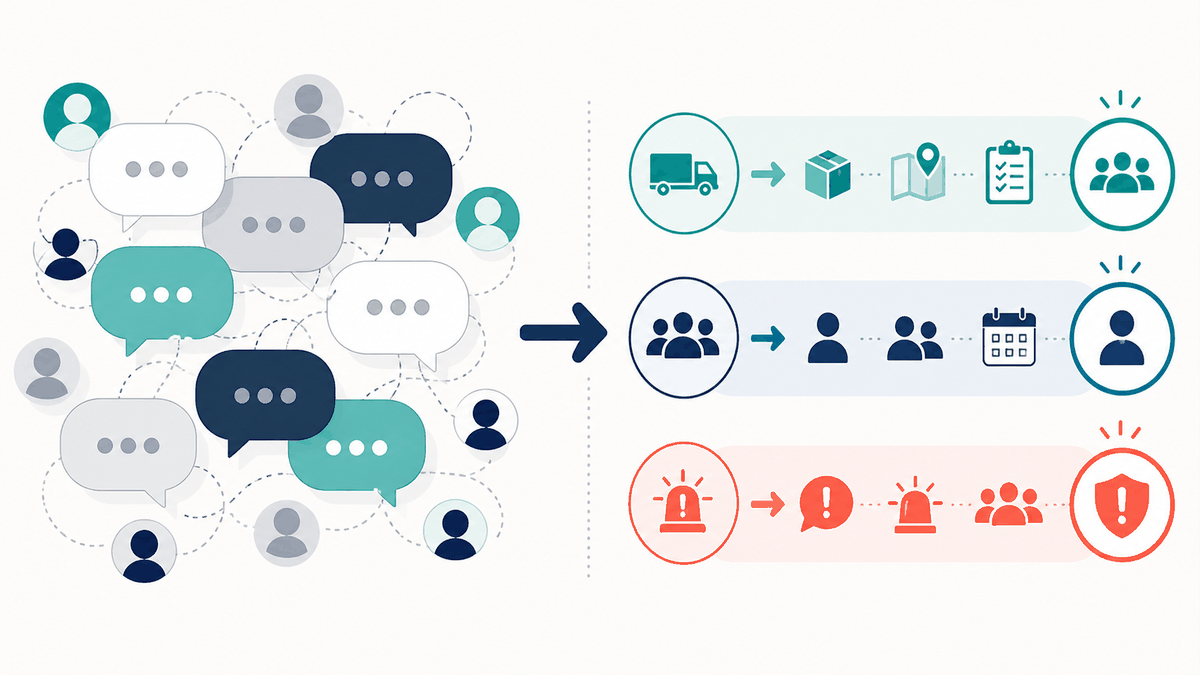
Relying exclusively on any single digital tool can introduce operational bottlenecks if that tool experiences an outage or a technical error on the day of the event. To mitigate this risk, organizers can conduct a low-risk pre-event test. Sending a simple, expected test message a few days before the primary activity helps ensure that volunteers are correctly added to the thread, have notifications enabled properly according to their device settings, and know how to respond to administrative prompts. A test message also identifies any individuals who may have been accidentally missed during the initial roster setup.
Alongside testing, creating a written fallback contact tree is highly recommended. A fallback tree is a simple document outlining who to call or text directly if the primary group chat fails. By distributing this written hierarchy, volunteers know exactly which shift leader or coordinator to reach out to if they lose connectivity or the app malfunctions. This secondary layer of communication helps ensure that essential coordination continues seamlessly even if the primary digital platform encounters an unexpected issue.
Addressing Risks and Limitations
While Messenger offers convenience, nonprofit leaders should acknowledge its limitations and potential risks when used for official operations. A notable consideration is data privacy. Because Messenger is typically a consumer platform, volunteer profiles and certain account details might be visible to other members of the group, depending on individual privacy settings. Organizations should obtain consent from volunteers before adding them to a communal space and consider providing an alternative communication method for those who prefer not to participate.
Furthermore, it is crucial to recognize that Meta publishes its data/privacy policy; organizers should review the current policy and their own obligations before using a consumer chat for sensitive operations. Consumer messaging apps may not be suitable for secure document storage. Organizations should exercise caution before using these chats to distribute confidential documents, financial data, or sensitive client information. Secure files are generally better hosted on a dedicated, compliant platform.
Another limitation is the potential for information overload. If an organization runs multiple concurrent events, placing everyone in a single chat might be counterproductive. Administrators could consider creating specialized subgroups tailored to specific functions if the platform allows.
Human-Review Guidance and Continuous Improvement
Technology can support human leadership. The effectiveness of a volunteer group chat can benefit from a human review process. After an event, leadership might review communication flows to identify bottlenecks. If volunteers repeatedly asked the same question, the initial onboarding instructions may need clarification.
Administrators can also solicit feedback from volunteers. A brief post-event survey can reveal whether the team found the group chat helpful or distracting. By incorporating human-centric feedback, the organization can refine its digital communication strategy.
Structured Planning for Event Operations
The execution of a community event often relies on the volunteers and clear communication. By establishing a digital framework, exploring administrative options, and respecting the boundaries of the participants, nonprofit organizations can leverage accessible platforms to support operations. Thoughtful preparation and structured planning can contribute to a more cohesive volunteer team.
Frequently Asked Questions
Can we restrict who is allowed to join our volunteer group chat?
Depending on the app version and region, administrators may be able to enable a setting requiring admin approval for new members. Coordinators should verify this feature in their own interface to manage access.
How many volunteers can we include in a single Messenger chat?
Group size limits are subject to change and can vary. Administrators should consult the platform’s current documentation or interface to determine the maximum capacity for their specific group.
What should we do if volunteers complain about too many notifications?
Organizations can establish guidelines on the chat’s purpose, discouraging casual conversation in the logistical thread. Volunteers can also be instructed on how to adjust their notification settings for the group.
Is it safe to share organizational documents through the group chat?
Consumer messaging platforms are generally intended for casual updates. Sensitive documents, financial records, or confidential client information should typically be shared through a secure, encrypted organizational workspace instead.